What Are Modules?
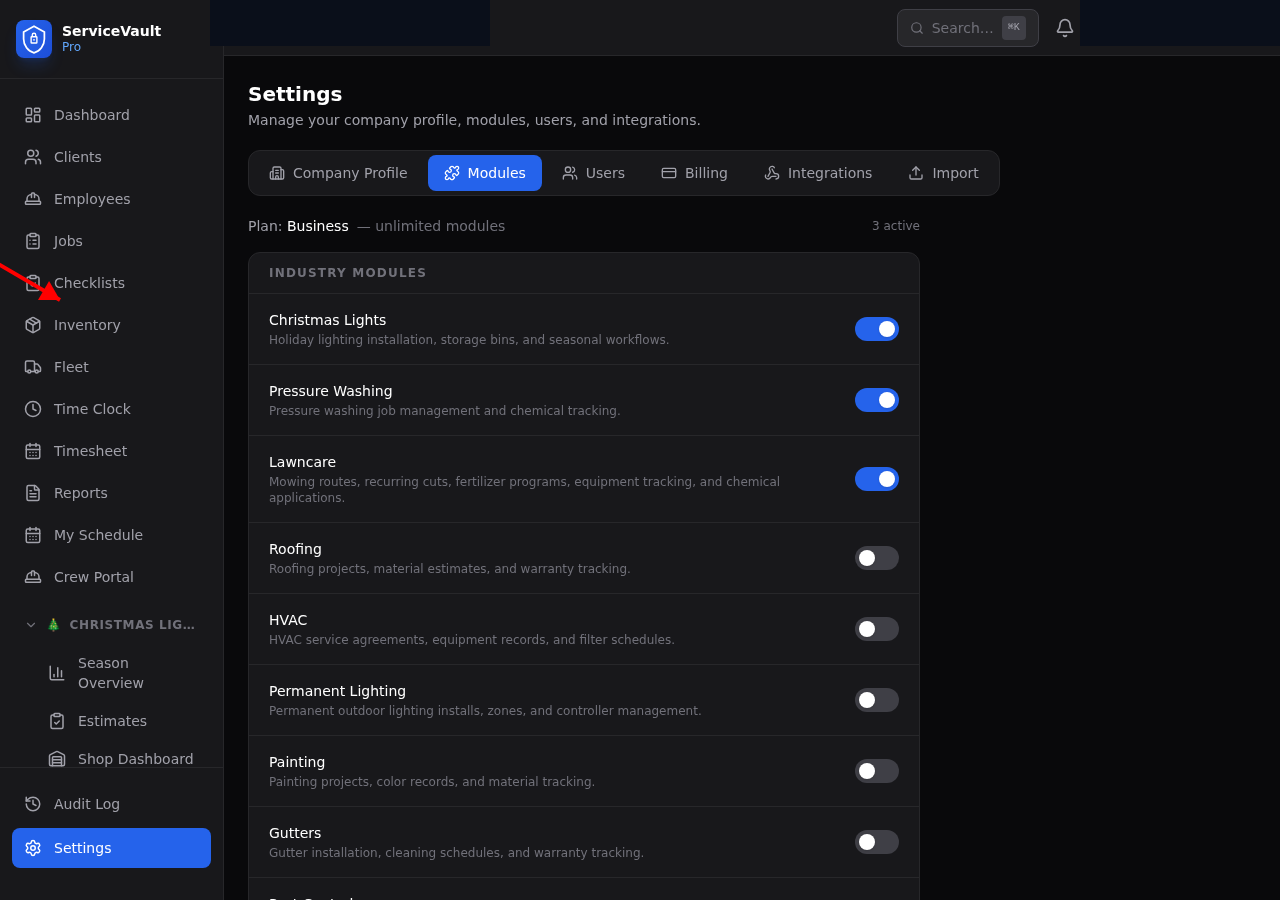
Modules are industry-specific feature packs that add specialized tools to ServiceVault Pro. For example, the Christmas Lights module adds storage management, estimates, season tracking, and more.
Turning a Module On
- Go to Settings
- Click the Modules tab
- Find the module you want in the list
- Toggle the switch to On
- The page reloads and new sections appear in your sidebar
Turning a Module Off
- Go to Settings → Modules
- Toggle the switch to Off
- The page reloads and the module's sections disappear from the sidebar
What Happens to My Data?
Nothing is deleted. Turning off a module only hides it from view. All your data (storage locations, bins, estimates, takedowns, etc.) is preserved. If you turn the module back on later, everything will be right where you left it.
Plan Limits
Your plan determines how many modules you can have active at once:
- Starter — 1 industry module
- Pro — 2 industry modules
- Business — Unlimited
- Enterprise — Unlimited
If you're at your limit, you'll need to turn off an existing module before enabling a new one, or upgrade your plan.