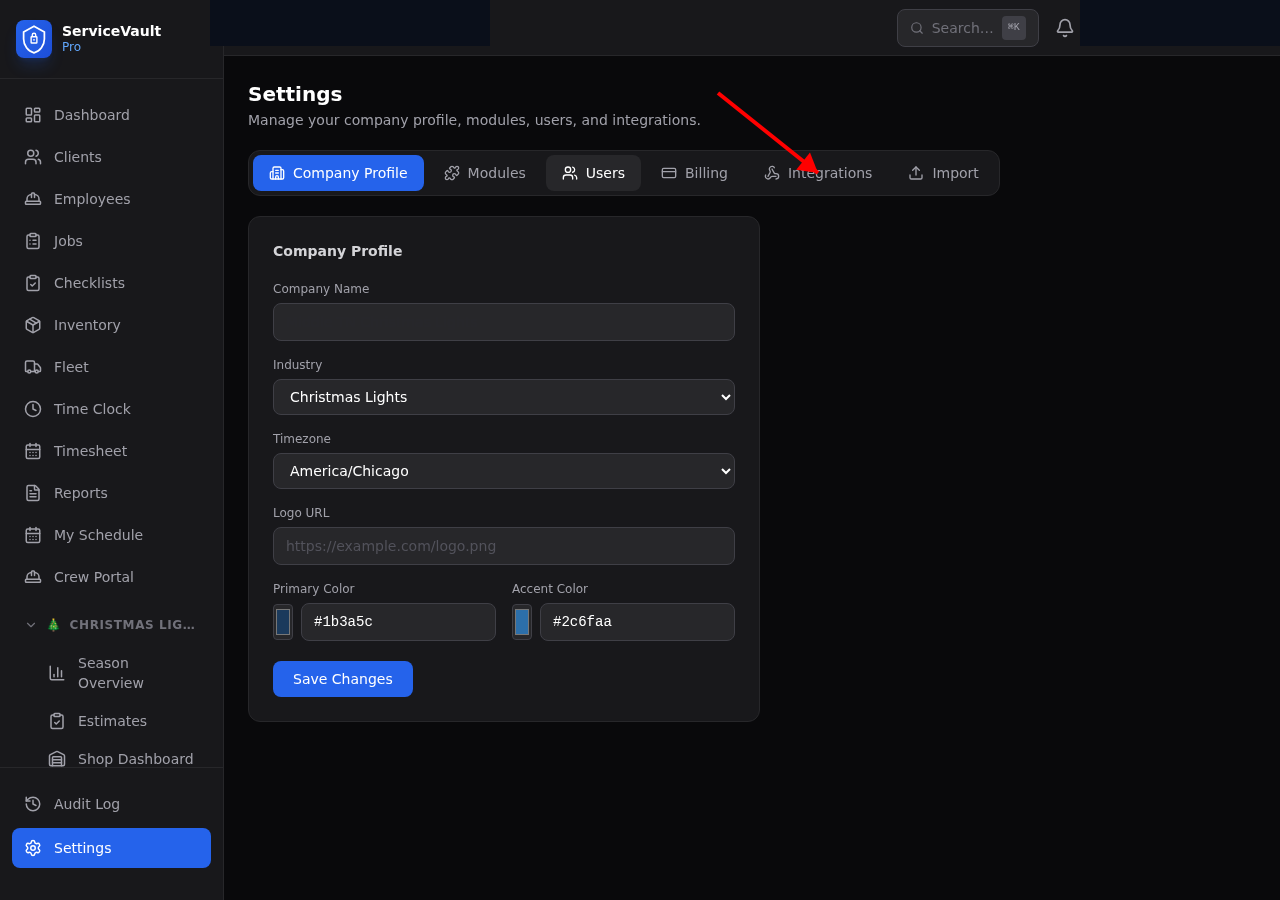
Settings Tabs
The Settings page has several tabs, each controlling a different part of your account:
Company Profile
Set your company name, industry, timezone, logo, and brand colors. These settings affect the entire account.
Modules
Enable or disable industry-specific modules like Christmas Lights, Pressure Washing, and more. See How to Turn Modules On/Off for details.
Users
Add, remove, and manage user accounts. Set permissions for each user. See Managing User Permissions.
Billing
View your current plan, manage your subscription, and update payment information through Stripe.
Integrations (API)
Connect ServiceVault Pro to external tools like Zapier, CRMs, and other software. This tab includes:
- Webhook API Key — A unique key for authenticating API calls to your account
- Webhook URLs — The endpoints your CRM or Zapier can send data to
- Usage Log — See recent webhook calls with timestamps and status
Use the Integrations tab to push client and job data from your CRM directly into ServiceVault Pro. See the API documentation for endpoint details.