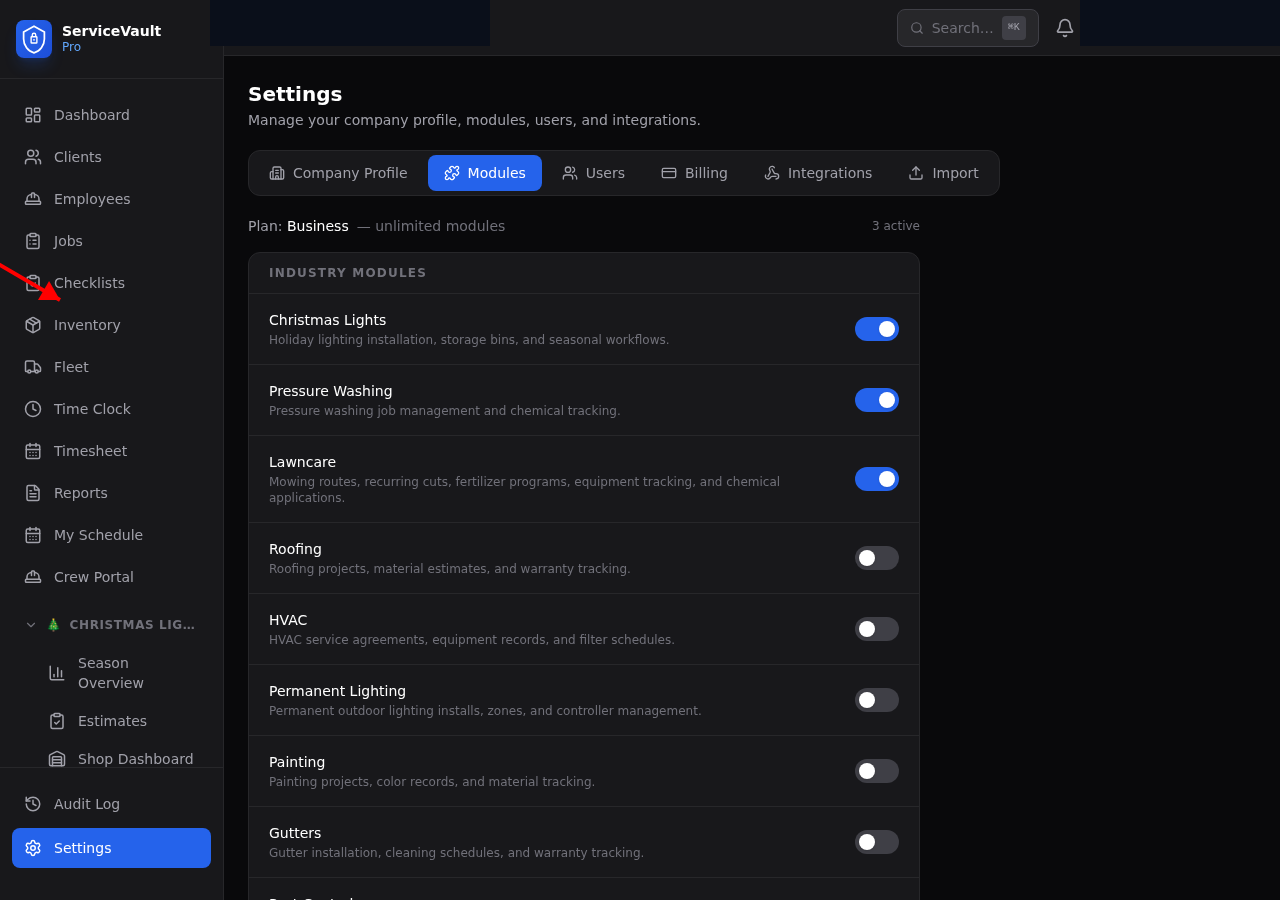
Enabling the Module
- Go to Settings
- Click the Modules tab
- Find Christmas Lights in the list of industry modules
- Toggle the switch to On
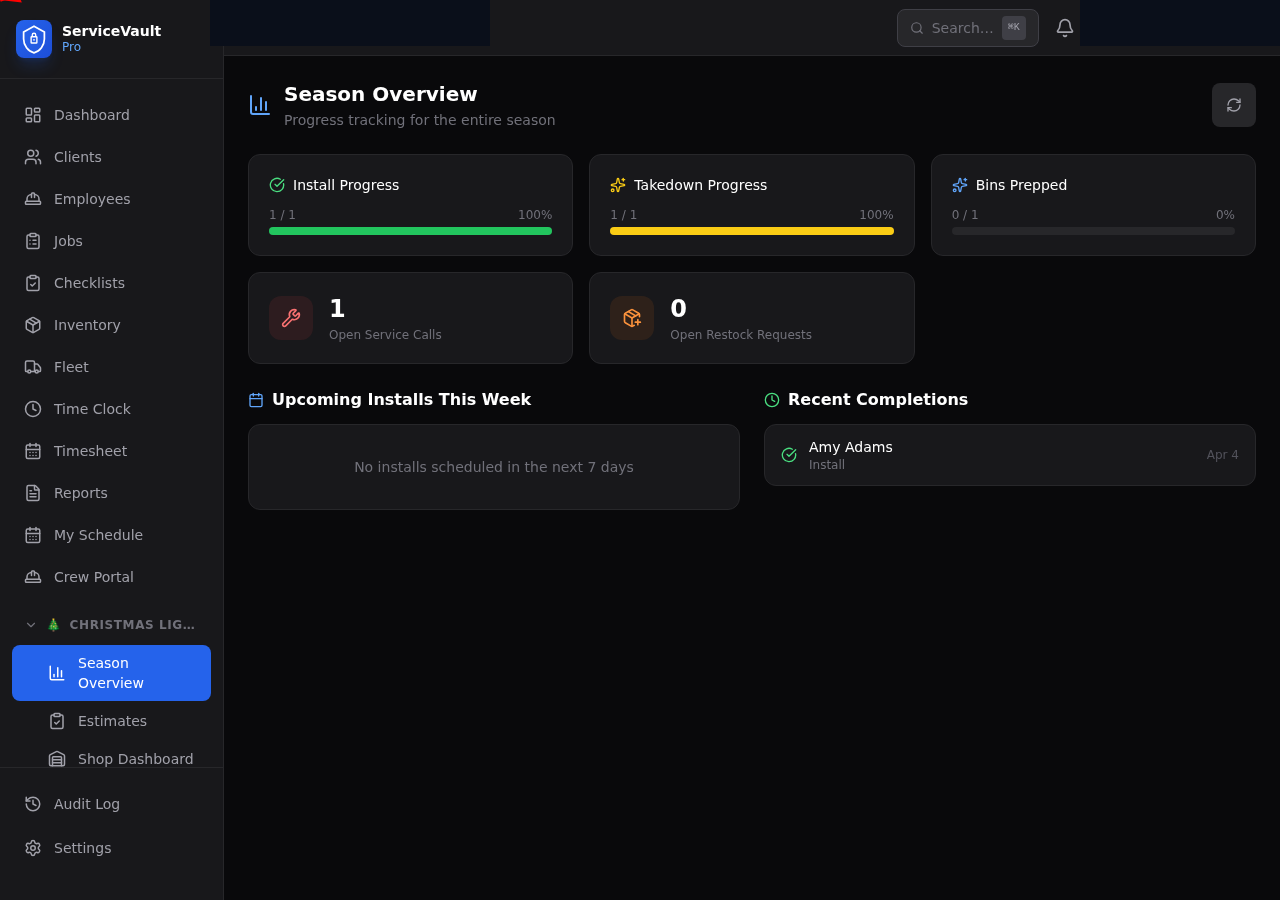
The page will reload, and new sections will appear in your sidebar under a Christmas Lights heading.
What You Get
The Christmas Lights module adds these features to ServiceVault Pro:
- Storage — Manage storage locations, bins, and bin contents. Know exactly where every client's lights are stored.
- Estimates — Build detailed estimates with side-by-side roofline measurements, clip types, colors, and extras like wreaths and garland.
- Season Dashboard — Track install and takedown progress for the entire season at a glance.
- Shop Dashboard — Manage the bin prep queue — from pulling bins to prepping them and loading them on the truck.
- Takedowns — Record takedown details item by item, with color-locked entries and bin counts.
- Map View — See all your CL clients on a map with status-colored pins.
- Repairs — Log repair requests with priority levels and crew assignments.
- Restock Requests — Let crews request supplies from the field; shop staff fulfills them.
- Client Specs — Store roofline footage, bush/tree counts, timer locations, gate codes, and year-over-year notes for each client.
Sidebar Navigation
Once enabled, you'll see a Christmas Lights section in the sidebar with links to:
- Season Dashboard
- Estimates
- Storage (locations, bins, lookup, map)
- Shop Dashboard
- Takedowns
- Map
- Repairs
- Restock
Click the Christmas Lights header in the sidebar to expand or collapse these items.
Plan Limits
The number of industry modules you can enable depends on your plan. Starter plans get 1 module, Pro gets 2, and Business/Enterprise plans get unlimited modules. You can upgrade anytime from Settings → Billing.