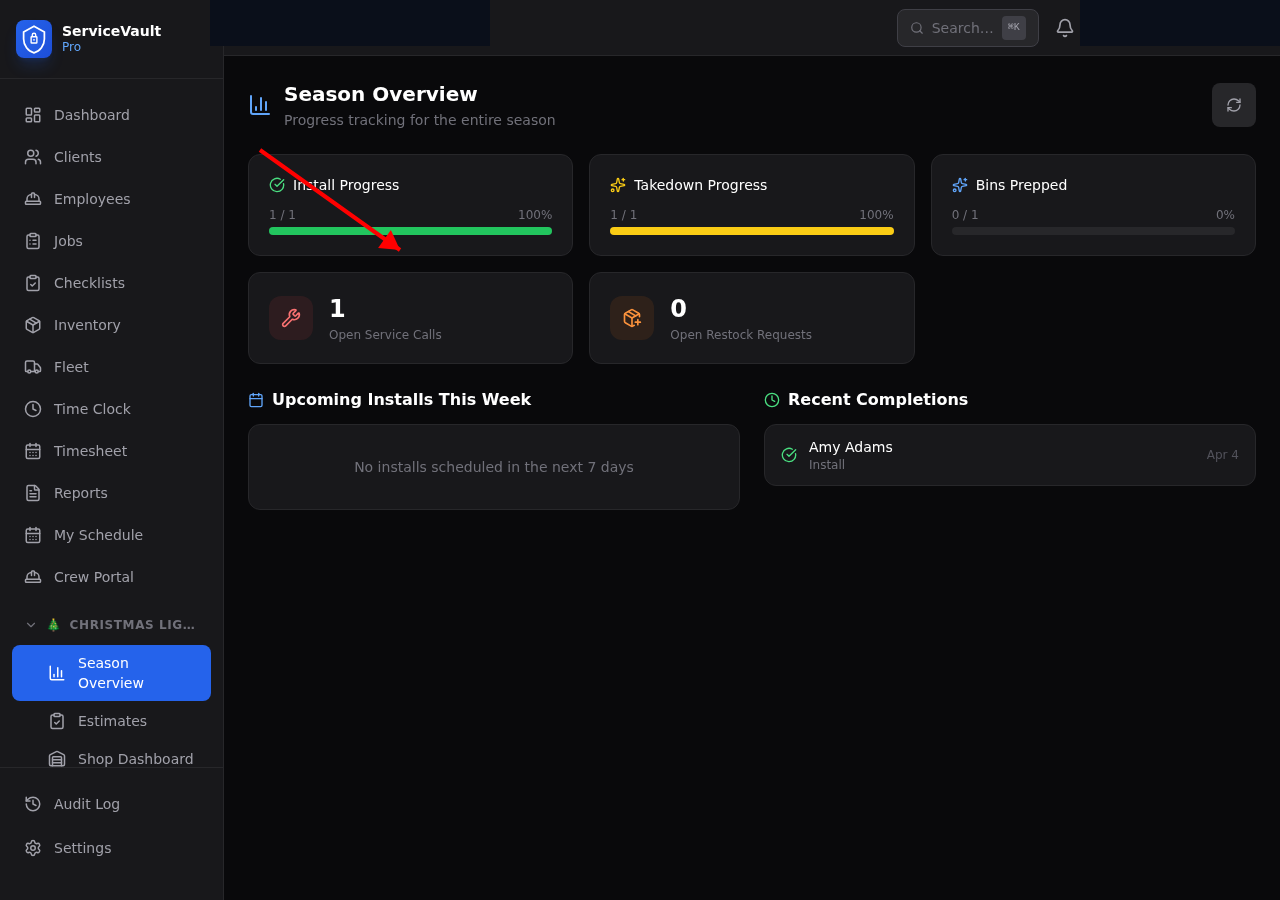
Accessing the Season Dashboard
Click Season in the Christmas Lights section of the sidebar.
What You'll See
The Season Dashboard gives you a bird's-eye view of the entire season:
Install Progress
A progress bar and count showing how many installs are completed vs. total scheduled. You can see at a glance if you're on track.
Takedown Progress
Same format — shows how many takedowns are completed vs. pending. This is especially useful in January when you're trying to get all the lights down.
Bins Prepped
How many bins have been prepped and are ready for install. Helps you coordinate between the shop crew and the install crews.
Open Service Calls
Number of active repair requests. If this number is high, you may need to prioritize repair days.
Upcoming Installs
A list of the next installs coming up, so you can plan crew assignments and bin prep accordingly.